

What Can a Bot Do?
A Discord bot is an application that can send and receive messages, handle slash commands, respond to interactions, manage roles and server membership, receive Discord events like new members joining, and connect to your game’s server.Install Types
These two install types serve fundamentally different goals, and it’s worth understanding the distinction before you start building. Guild-installable bots live in a server. All members can interact with the bot, and it can manage roles, post announcements, and respond to commands in any channel it has access to. This is the right fit for server-wide features like event announcements and reward claims. Guild-install is about deepening engagement with players who are already in your community. User-installable bots are added to a player’s own account. Once installed, the player can use the Discord bot in any server or DM. They don’t need to be in your server and the people they’re sharing it with don’t need to have heard of your game. A player can share their ranked stats in another server even if those friends haven’t joined your community or heard of your game. Every share this way becomes organic discovery. User-install is about reach. Every time a player shares their stats or run results somewhere new, it’s a live advertisement landing in a space outside your server. This is huge for organic marketing. You’ll want to make sure your bot is user-installable, and that the output from sharing is worth showing off to strangers. A bot that supports both install types covers every surface Discord has to offer. Guild-install handles servers that install it. User-install handles everywhere else. For implementation details, start here:- Overview of Apps: what Discord apps are and how they work
- Build Your First Bot: step-by-step getting started guide
Account Linking
Before you build anything in this guide, you need to solve one problem: knowing which Discord user corresponds to which player in your game. Without that connection, none of the strategies below work. The bot can’t pull stats, verify eligibility for rewards, or assign the right role. Account linking is the foundation that makes all of this possible. Account linking connects a player’s game account to their Discord user ID. Once linked, your server has a mapping between the two, and the bot can look up any player’s game data by their Discord identity. A player running/leaderboard in Discord triggers a lookup that returns their actual in-game stats because the bot knows exactly who they are in your game.
Players can link their accounts in two ways. The first is in-game through the Discord Social SDK, where the account linking flow can happen directly in the overlay or Discord. The second is through a web-based OAuth2 flow, where players authorize in a browser and your server stores the association. Either approach creates a link between your player’s Discord ID and their game account in your server.
For implementation details, see:
- Account Linking: overview covering both the in-game and web-based account linking
- Account Linking in game: Social SDK account linking implementation guide
Sharing: Organic Marketing
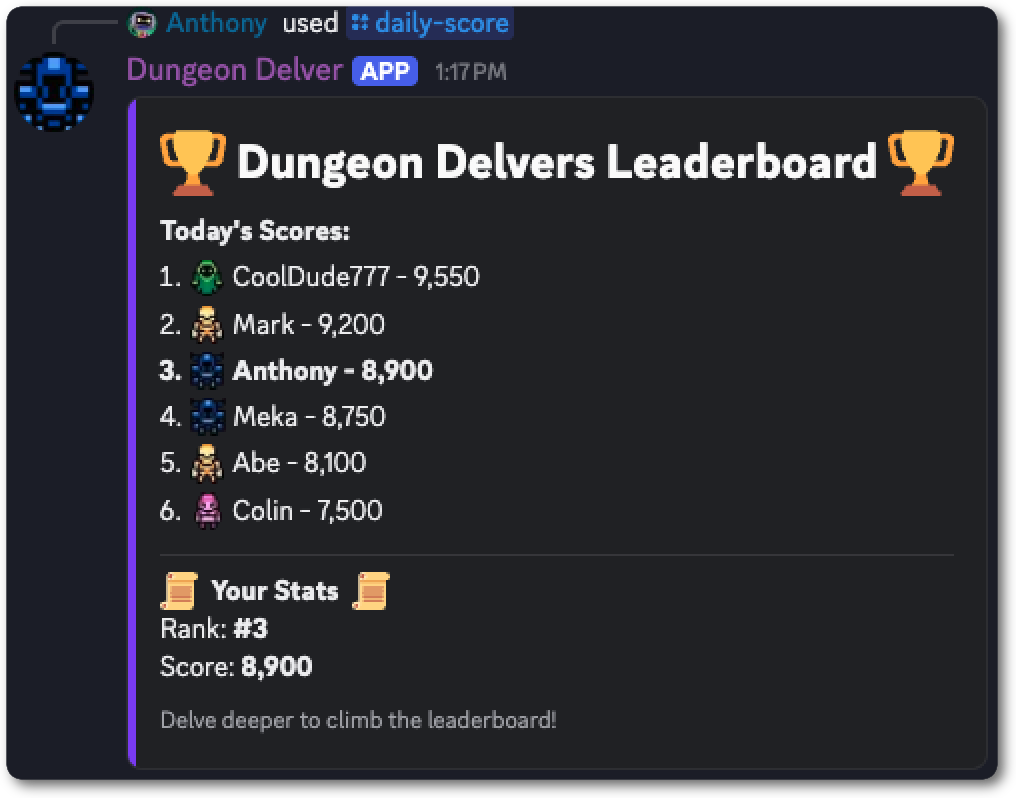
Players already screenshot their achievements, builds, and leaderboard placements. They post them in Discord channels and group chats. The problem is that screenshots are static and require effort to crop and share. A bot makes sharing in Discord frictionless and interactive, turning every share into marketing for your game. Let players share scores, leaderboard placements, builds, or match results via a slash command with your bot. The bot pulls the data from your game’s server and posts a formatted message with their stats, their rank, and their game identity right in the channel. Because the bot can be user-installable, players can share their stats anywhere on Discord, not just in your server. The result can spark conversation and competition, creating new players or drawing old ones back into the game. This is where a user-installable bot pays off most. A player using your bot in a friend’s server or a completely different community is putting your game in front of people you’d never reach through your own server or marketing. You don’t control that space, but they do, and they’re vouching for your game by using your bot in it.How It Works
- Player runs a slash command (
/leaderboard) - The Discord bot checks whether the player has linked their account. If not, it responds with a prompt to link before continuing.
- The bot looks up their game data via their Discord ID
- The bot posts a formatted message in the channel with their stats
Theming: Tie Your Bot to Your Game
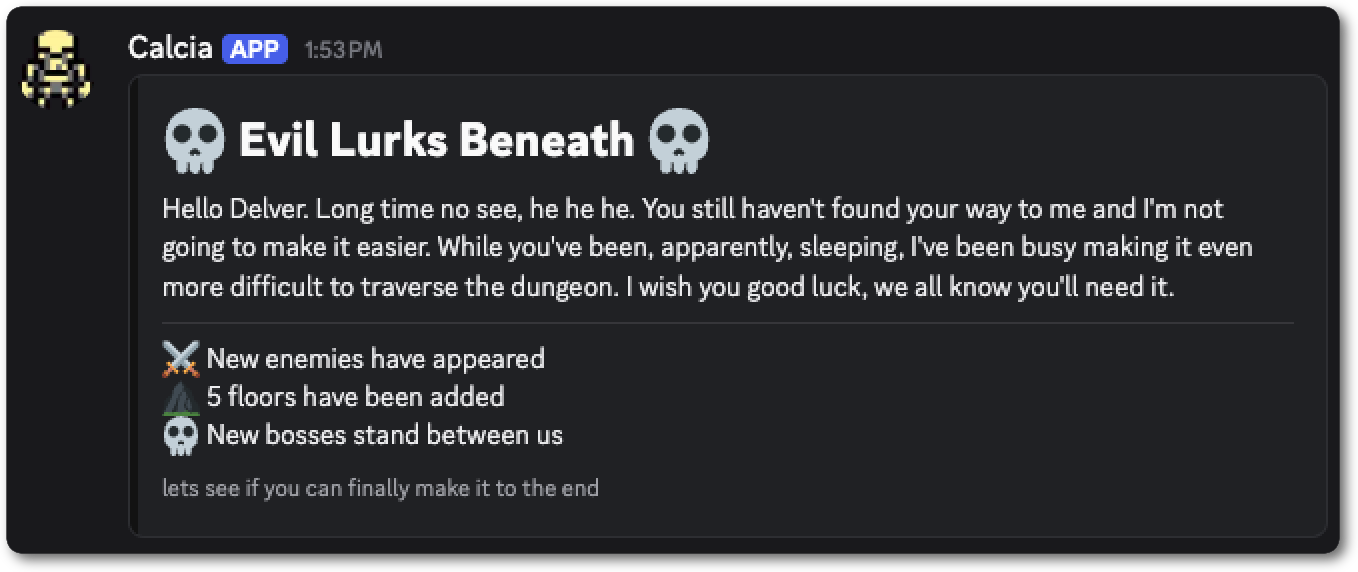
A bot doesn’t have to feel like a utility. Give it a username, an avatar, and a consistent voice that matches your game world. When the bot speaks it can look and feel like a character, announcer, or entity from your game. When your bot has its personality drawn from your game, it creates a completely different relationship between your community and your world. Here are three things you can easily customize to bring your bot to life:- Username: Name the bot after an NPC, a faction, or a system from your game. For example: “The Archivist” for a fantasy RPG or “SYSTEM://” for a sci-fi game. The name sets the tone for every interaction.
- Avatar: Use game art. A character portrait, faction icon, or in-game logo gives the bot a visual identity that players associate with your world.
- Message voice: Write the bot’s responses in character. A bot named after your game’s antagonist can mess with the player as they try to claim a reward or one named after a terminal can sound like they’re interacting with a bounty system.
Engagement: Bring Players Back Into Your Game
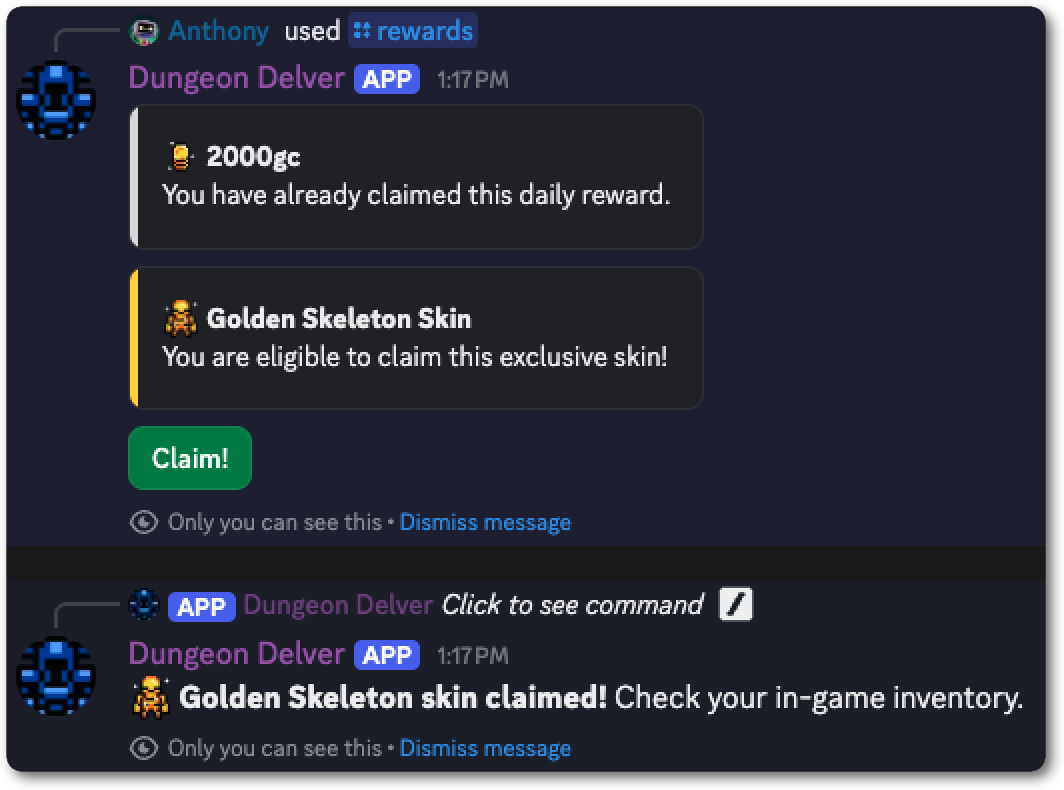
A community that’s only active during major game updates is a community that slowly fades between them. A Discord bot gives you the tools to create reasons for players to come back on a regular cadence. Here are a few ways developers use a bot to engage their players. Giveaways and rewards are great for rewarding engagement and for re-engaging players. You can use them to entice players back to your game and community by releasing limited-edition items or skins. Rewards can be used in combination with teasing a new update or DLC, so players learn more about what’s coming. You can require players to have their account linked, have played recently, or have hit a certain milestone to be eligible, which rewards engagement. Giveaways are a strong tool to get players excited and point them in the direction you want them to look: your community, game, or an update. Events and challenges create urgency that pulls players back into the game. A limited-time event with a claimable reward gives players a reason to open the server and play your game. A daily challenge creates a feedback loop: check the server, see the challenge, play the game, claim the reward. That daily touchpoint can keep players interested in both your server and your game. Story and lore drops turn your bot into narrative content. Post a mysterious message from your game’s villain. Drop a lore fragment with a puzzle to find something hidden in your game. Tease an upcoming update through NPC dialog. When done well, players will show up in your community to experience part of the game they’d otherwise miss. Welcoming new players in your server with a reward, quest, or challenge can be a fun way to make them want to stick around. Having a bot greet them when they join and offer a new player reward is a great way to bring players into your server. It also makes the experience of joining your community more welcoming and allows you to give them a rundown of the server. When you control the new member experience, you can point players towards anything important, whether that’s a channel for updates, a way to link their game account, or a quest back in the game.How It Works
- Bot posts an event or giveaway announcement to the relevant channel on a schedule
- Player runs a slash command to claim a reward (
/rewards) - Bot verifies their account link and confirms they meet any eligibility criteria
- Bot calls your game server and updates the player’s data with the claimed item
Status: Visible Player Status
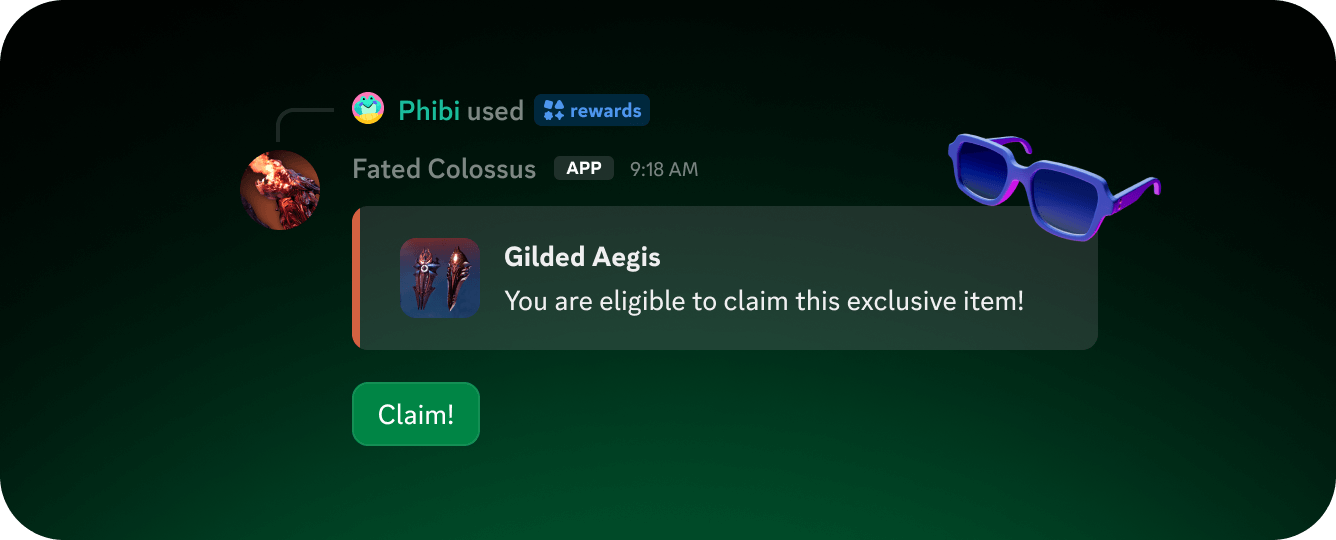
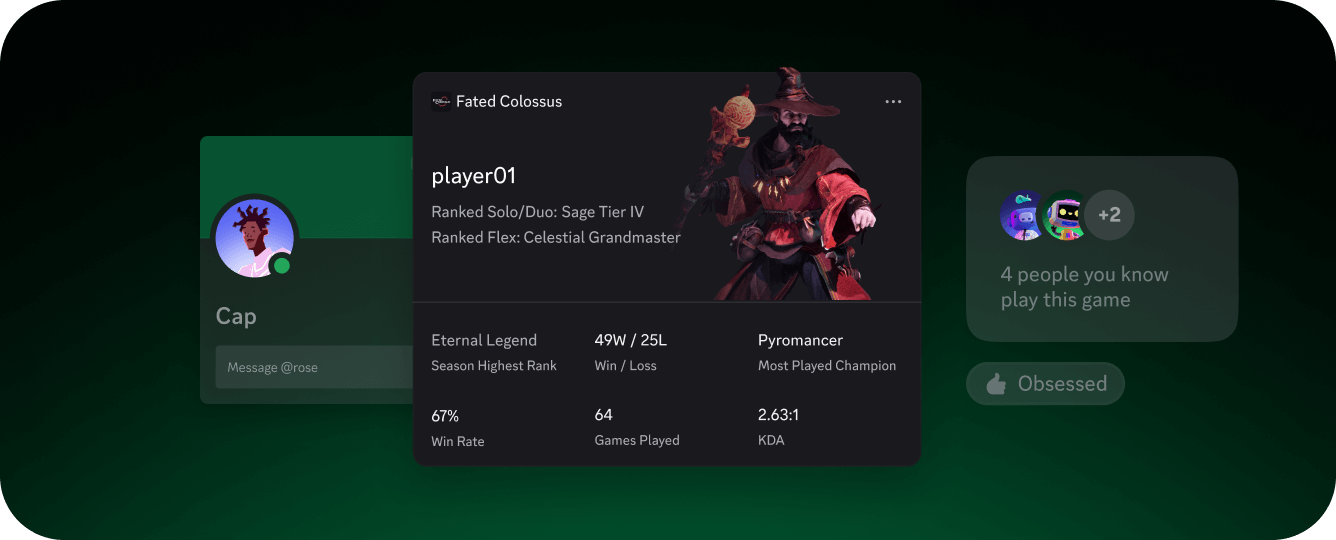
Players love showing off achievements and customization. An achievement that lives inside the game is satisfying, but one that’s visible in your Discord server carries far more weight. Similarly, picking a class or faction in your game can become even more powerful if the player gets a role associated with it in your community. Roles in Discord give you the ability to bring customization and achievement out of your game and into your server. Roles from achievements: Assign a special role when a player does something important: 100% completion, diamond tier placement, or completing a hard achievement. The role shows on their profile in your server and is visible to everyone they interact with. With a boosted or verified server, you can set emoji on the role for even more flair. Roles for classes: When a player picks their class, character, or faction, you can assign a corresponding role to them in your server. Players feel a sense of attachment to their choices, and that can spark discussion or debate in your server. Roles can also gate access to special channels. A#completionists channel, channels based on class or faction, or early access to patch notes for star players are all great ways to use roles. The existence of a channel players can see but can’t enter is a powerful motivator. Players who see a locked channel want to know what’s inside, and the path to getting in is through your game.
How It Works
- Player get an achievement in game or choose a class
- Your game server calls the Add Guild Member Role endpoint for that player in your server
- The role now shows on their profile in the server
How These Strategies Work Together
These strategies compound. Consider what happens when they all run together. A player sees a daily event announcement in the server and launches the game to complete it. They claim the reward through the bot. Their score lands them in the top ten on the leaderboard, so they share it in a friend group. A friend sees the message, gets curious, and joins the community server. That friend starts playing, earns a hard achievement, and gets assigned a@Veteran role. The role gates access to a secret channel they didn’t know existed. They mention the channel to someone else. The loop continues.
The entry point for that whole chain wasn’t your server or your marketing. It was a message from your bot, posted in a server you’d never heard of, by a player who was excited about your game. Each new player becomes a potential marketer. Each event can bring back players who were drifting away. The strategies feed each other: sharing drives new players in, engagement keeps them active, status gives them something to chase, and theming makes the whole experience feel like part of your game.
Pick What Works For Your Game
Not every strategy above fits every genre. Here are some ideas for which strategies to use and how, for a few genres. MOBAs, shooters, and competitive games get strong engagement from sharing match history. A user-installable bot lets players share match results anywhere on Discord, giving them the ability to show off their score and bring attention to your game. Roles for player rank (Diamond, Platinum, etc) can be given in your server which gives players a sense of accomplishment. Giveaways of skins or items can be used to call out new seasons or DLC. Daily rewards through a bot in your server give players a reason to check in and read any news before hopping in game. MMOs and co-op games benefit from theming your server as a hub from your world and adding bots as in-game characters. They can help make your server feel like it’s an extension of your game. Create role-gated channels for endgame players or high-level raiders. Build sharing is an easy way to let players show off their characters outside of the game. Daily item giveaways give players a reason to come to your server frequently. Releasing limited mount skins or armor can help drive players into your server to learn about an upcoming release or to get them excited to play again. Roguelikes and score-based games can lean hard into leaderboard and run sharing. Make the/leaderboard command dead simple and use account linking to share personalized leaderboards based on in-game friends. Using a themed bot to announce a daily challenge gives players a thread to talk about it in your server as they attempt to beat it.
Story-driven games have a community dynamic that the other genres don’t. Players who have finished the game can spoil the plot for players who haven’t. A role-gated channel that unlocks after completing the game gives completionists a space to discuss the ending freely and gives other players a visible reason to keep playing. Lore drops through bots work especially well here because your audience is already excited to engage with narrative. Use that to your advantage to tease new DLC.
Next Steps
You don’t have to build all of this at once. Pick the strategy that fits your game and player base, get it running, and build from there. The bot can start simple. A single/leaderboard command can get your players showing off their achievements which can grow into a full engagement system over time. Start with account linking, add one feature, see how your community responds, and iterate.
Bots and Companion Apps
Getting started guide for building a Discord bot or companion app
Account Linking
Connect your players’ game accounts to their Discord identity